

Buying a TV


- Know the Lingo – Buying a TV can be intimidating if aren’t familiar with the “maven-speak” that salesmen use to dupe unsuspecting victims. Brush up on the major TV terms before launching a full-throttle flat-screen hunt.
- Make Some Measurements – Bigger is not necessarily better if you don’t have a space that accommodates the size. For a rule of thumb, measure (in inches) the distance between your couch and spot where you’ll put the TV, then divide by 2.5; this should be your upper limit for TV size.
- Assess Your Habits – Do you generally watch Gray’s Anatomy and Lipstick Jungle when you get home from work, or do you have Sunday football viewing sessions and marathon gaming sessions? The lighting of the room and the things you watch are key determinants in choosing the right TV.
- Pick a Price Range – As with most consumer goods, the conversation about what TV to buy is going to change as you step into different price brackets. You can find a solid TV at most price points (within reason), and determining one from the start will greatly expedite the process and help you avoid paying for something you don’t really need.
- Buy Last Year’s Model – When comparing the same model of TV over two years, there are generally few differences beyond a fancier polish and an extra input. So buy the older one, because it will be a lot cheaper and the quality will be the same.
Either you recently graduated from school or you finally got a job with a big enough salary to upgrade your TV-watching experience. In any case, let me be the first to say congratulations, and welcome to the world of high-definition. Unless for some unknown reason you rocked a large flat panel HDTV in college, this will be your first opportunity to really get down and dirty with a home entertainment system in your own place.
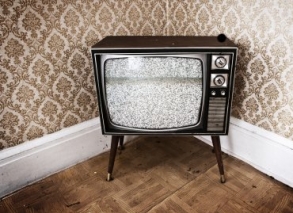
A quick note: If you are planning on purchasing an old-fashioned TV that takes up a quarter of your living room, you can stop reading now. Nothing against these sets if you are on a super tight budget and just want to watch Days of Our Lives while you’re unemployed, but at this point they are dinosaurs that, in spite of some differences, all fall into the general category of “not very good.” Just grab a few hundred dollars, hit the electronics store or flea market, and make sure it’s got a built-in VCR—if you’re gonna take it old-school, take it all the way old-school, player.
What Size TV Should I Get?
Ok, now we’ve separated the mice from the human men and women, let’s get down to business. In deciding what television is right for you, you must first ask yourself what size screen your room can legitimately accommodate. Don't know? No worries, it’s pretty simple: Measure the distance (in inches) from the proposed position of the flatty to your “seated eyeballs.” (“Flatty” is maven-speak for flat-screen TV—work it around a few times before hitting up the store.) Now, take that number and divide it by 2.5. So, if you are going to site 90" from your TV, the estimated TV size is 36”. With a 4:3 aspect ratio instead of a widescreen, you could manage something slightly larger.
OK, Now What Are My Options?
Now that you have an idea of how big your TV can be (you can always go smaller if you want), it’s easier to decide what model is right for you. If your estimated television sizing is less than 42" then your only option is to get an LCD. For LCDs under 42”, you can pay anywhere between $600 for a 32” Westinghouse to $1600 for a 40” Samsung. If your estimated sizing is more than 42", you have the choice between an LCD and a plasma (more about these two in a moment). And lastly, if you can go over 50", you can choose between plasma and rear projection sets (LCoS and DLP).
Let's venture a guess and say you're in the 42"-50" range. Congratulations, you hit the money zone! Here you will find the best TVs at the best prices. You can find high-quality 42” Panasonic plasma for less than $1,000 or a 46” Samsung 1080p LCD HDTV for less than $1,800.
LCD vs. Plasma: The Great Debate
Let me highlight a few of the major differences between plasmas and LCDs. Unless you go with a top of the line LCD, you will notice some “ghosting” effects (also known as image lag), which is when fast-moving objects leave a faint trail behind them. For plasmas, which have near instantaneous refresh rates regardless of the quality, there are no ghosting effects. If you watch a lot of sports and action movies or play video games, eliminating ghosting effects is critical.
Furthermore, cheap LCDs have a hard time achieving "true" blacks. In very dark scenes, the darkness often looks bluish-greenish on an LCD. This drawback of LCDs is particularly detrimental in movies. So, if you’re a big movie watcher, either shell out the dough for an expensive LCD or buy an inexpensive plasma; both will let you watch your movies with fantastic blacks.
At this point, you’re probably thinking cheap LCDs are pretty wack compared to plasmas, but don’t count them out yet. Two areas in which LCDs excel and plasmas don’t are brightness and glare reduction. While plasmas are catching up by offering brighter sets and glare-reducing glass, even the cheapest LCD allows you enjoy your Sunday football games in a brightly-lit room or sun-flooded room.
The Myth of Burn In
“But what about burn in?” I hear you say. Glad you asked, chief. “Burn in” is when a prolonged display of a static image on the TV screen—the ticker on a sports game, the HUD in a video game, or a paused image from a movie—causes a ghost-like image of the object to remain on the screen after it’s gone. Most experts agree that mid-level plasmas and above no longer suffer from burn in these days.
1080p – Fresh or Not?
“So what about ‘full HD,’ aka 1080p?” Another good question, boss. While the idiots in blue shirts at Best Buy told you that you had to have a TV with 1080p because it is the best thing ever, expert panels and focus groups across the country have tested the differences between HDTVs with 1080p and 1080 and found that no one can tell the difference between the two at sizes less than 50". So what's that mean for a maven? If you are in the market for a television between 42"-50", get a plasma. You want the Toyota, get a Panasonic—incredible value for what you pay. You want the Ferrari, get a Pioneer—best picture of any HDTV I've ever seen.
LCoS vs. DLP
If you're in the market for a television over 50", you are going to need to look into rear-projection HDTVs. You may have heard of these—DLP and LCoS are the most common. These televisions may remind you of their ghetto TV cousins which most likely sit in front of your Grandma's 1950s sofa. But while they’re undoubtedly big and ugly, don't let that fool you. These televisions are just as much of a steal as a Panasonic plasma.
You can find great deals on Samsung DLPs for around $1,500, which I would highly recommend. But if you want the Caddy of rear-projection sets, I'd suggest looking into LCoS sets, which are essentially a better form of LCD. Sony's SXRD line, between $1,600 and $2,000, is a great LCoS set. It will have faster refresh rates and achieve better blacks than a DLP, but you'll have to pay a premium. The only real concern with either of these sets, besides their size, is their lack of brightness. Typically they are placed in basements and other dark rooms. Still, their flaws will seem negligible when compared with those dull sets you used in college.
Inputs
One final consideration when buying an HDTV of any size is the number and type of inputs that it offers. In the world of HDTVs there are two types of high definition inputs: component and HDMI. (DVI AND VGA cables also send HD signals but no one actually uses them.) There are a few differences between the two that should be noted. First, HDMI cables are the only way to display 1080p images. Second, HDMI is a single cable capable of sending both digital video and audio signals (its only real perk).
My only piece of advice when considering inputs on HDTVs is, for the most part, don’t worry about it. In this day in age, you will have more than enough inputs on the back of your prospective HDTV. If you happen to be deciding between two identically priced televisions and can’t decide which to buy, cop the one with more inputs. And if you happen to actually run out of inputs on an HDTV you purchased, you can always buy a hub allowing you to run even more cables to your television.
Newer Models
Having a tough time deciding between two HDTVs, one being this year’s model and the other last year’s? Typically, there are few differences beyond a fancier polish and an extra input. When companies launch TVs that are actually better quality, they will rebrand them as a new model and mark up the price accordingly. So buy the older one—you’ll save money and lose nothing.
Where to Buy Your TV
As a new grad, I understand there is often a major impediment to copping an insanely fresh TV—your budget ain't that large. No worries, mon frère. You can buy cheap flatties all over the place. The two places I would look first are Costco and Amazon. Unlike Best Buy and Circuit City, Costco and Amazon actually offer good deals on televisions (although you can occasionally find a steal at one of those other joints). Kmart also offers good deals on HDTVs.


Most Recent Questions

All States
Alabama
Alaska
Arizona
Arkansas
California
Colorado
Connecticut
DC
Delaware
Florida
Georgia
Hawaii
Idaho
Illinois
Indiana
Iowa
Kansas
Kentucky
Louisiana
Maine
Maryland
Massachusetts
Michigan
Minnesota
Mississippi
Missouri
Montana
Nebraska
Nevada
New Hampshire
New Jersey
New Mexico
New York
North Carolina
North Dakota
Ohio
Oklahoma
Oregon
Pennsylvania
Rhode Island
South Carolina
South Dakota
Tennessee
Texas
Utah
Vermont
Virginia
Washington
West Virginia
Wisconsin
Wyoming
Comments
(0)POST YOUR COMMENT